Last Updated: July 2026
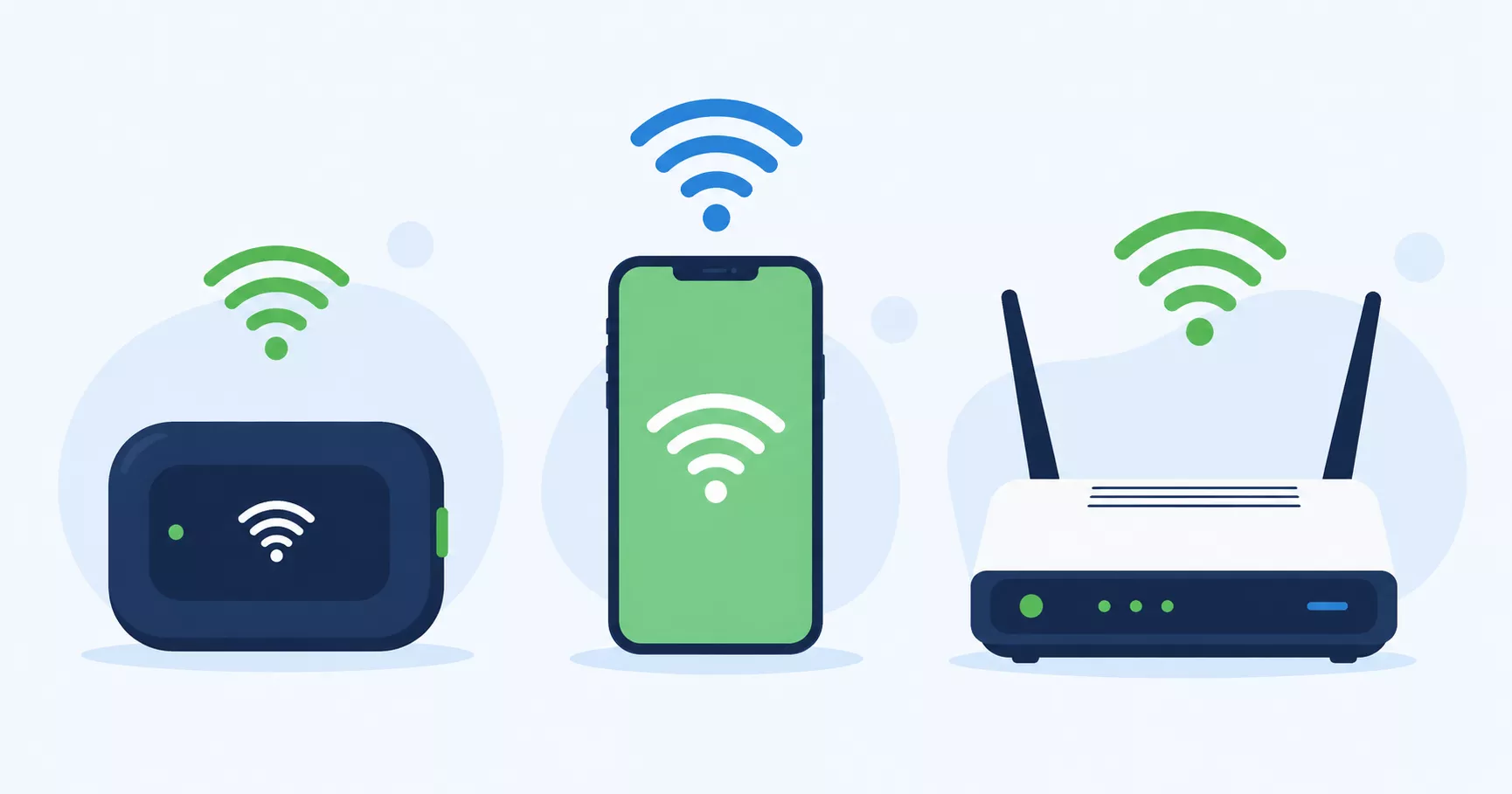
Not all hotspots are created equal. Some are full smartphones with a hotspot tacked on as a feature. Others are dedicated pocket-sized devices built for nothing but sharing a WiFi signal. And the “best” one depends entirely on what you’re trying to do with it.
This guide breaks down the actual hardware — not just eligibility rules — so you know which type of device fits your situation before you apply anywhere.
First: What Kind of Hotspot Do You Actually Need?
Before comparing devices, answer this: do you already have a smartphone?
- Yes, and it works fine → You need a standalone hotspot device, not another phone
- No, or mine is old/broken → A free smartphone with hotspot capability solves two problems at once
- I need internet for a whole household or classroom → Look at gateway-style hotspots, not pocket devices
This one decision eliminates most of the confusion in this space.
Types of Hotspot Hardware, Explained
Pocket Hotspots (Standalone Devices)
Small, battery-powered devices — often called a “puck” or “MiFi” — that do one job: turn a cellular signal into WiFi. No phone functions, no screen beyond a basic display.
Best for: People who already have a phone and need a separate connection for a laptop or tablet.
Battery life: Typically 6–20 hours depending on usage and model.
Device capacity: Most support 5–15 connected devices simultaneously.
Smartphones With Hotspot Capability
The most common device given out through Lifeline providers. It’s a phone first, with hotspot as a built-in feature you can turn on.
Best for: People who need both a phone and occasional hotspot access — which covers most Lifeline applicants.
The catch: Some providers disable the hotspot feature on certain free phone models. Always confirm hotspot is enabled before accepting a device.
Home Gateway Hotspots
Larger, non-portable units designed to act like a home router, often with external antennas and sometimes Ethernet ports for wired connections.
Best for: A household with multiple people who need steady, simultaneous internet access — closer to a home broadband replacement than to a mobile hotspot.
USB Modem Dongles
Plug directly into a laptop for a single-device connection. No WiFi broadcast, no battery to manage.
Best for: Single-user, single-device situations — largely being phased out in favor of pocket hotspots.
Free and Low-Cost Hotspot Devices Worth Knowing About
enTouch Wireless — Standalone Pocket Hotspot
One of the few Lifeline-participating providers still offering a genuine standalone hotspot device rather than just a smartphone. Their portable LTE device is compact, doesn’t require a phone, and connects directly to laptops, tablets, or any WiFi-enabled device.
Good fit if: You already have a phone and specifically need a separate hotspot device.
T-Mobile Project 10Million — Best for Students
If you’re a student (or a parent of one), this is worth checking first. Project 10Million provides a free hotspot device plus 200GB of mobile data per year for up to 5 years for qualifying students without reliable home internet.
How to access it: Enrollment typically goes through your school district rather than a direct individual application — check with your school’s technology or family resources office.
Good fit if you have a K-12 student or an eligible student in the household who needs consistent internet access for schoolwork.
SafeLink Wireless — Smartphone With Hotspot
Runs on the Verizon network, which tends to perform well in rural and less-populated areas. Provides a free Android smartphone with built-in hotspot capability — solid if you need a phone and hotspot together, less useful if you only want a standalone device.
Good fit if: You need a phone replacement and live in an area with weaker network coverage from other carriers.
Assurance Wireless — Smartphone With Hotspot
Runs on T-Mobile’s network with generally strong 5G coverage in urban and suburban areas. Similar profile to SafeLink — a smartphone-first solution.
Good fit if: You’re in a well-covered T-Mobile area and want a full phone plus hotspot in one device.
TAG Mobile — Hotspot Device or Tethering
Offers either a dedicated 5G hotspot device or smartphone tethering, depending on the plan and state. More flexible than providers that only offer one hardware type.
Good fit if: You want to compare both a phone and a standalone device option from the same provider.
What About Data Limits? A Realistic Look
Across most Lifeline-supported hotspot plans, monthly high-speed data typically ranges from 4.5 GB to 6 GB in most states, with a few state-supplemented programs (like California Lifeline) offering more.
Here’s what that actually gets you:
| Activity | Approximate Data Used |
|---|---|
| 1 hour of video call (standard quality) | ~300–500 MB |
| 1 hour of HD video streaming | ~1–3 GB |
| Web browsing and email (1 hour) | ~50–150 MB |
| Online class session (1 hour, video) | ~300–700 MB |
With a typical 5 GB monthly allowance, expect to comfortably cover browsing, email, and moderate video calls — but heavy streaming or gaming will burn through your data well before the month ends.
Should You Get a Standalone Device or Just Use Phone Tethering?
This is worth thinking through honestly. According to hotspot industry research, most people connect to WiFi 75–89% of the time even away from home — meaning a separate hotspot device sits unused more often than people expect.
Skip a standalone device if:
- Your current phone plan already includes generous hotspot data
- You’re mostly near free WiFi (home, work, coffee shops, libraries)
- You only occasionally need a backup connection
Get a standalone device if:
- You need a dedicated connection for a laptop or tablet regularly
- You want to keep your phone’s data separate from your hotspot usage
- You need to connect multiple devices at once reliably
How to Apply for a Free Hotspot Device
Step 1 — Decide which hardware type you need using the breakdown above.
Step 2 — Confirm your eligibility. Most programs require enrollment in SNAP, Medicaid, or SSI, or income at or below 135% of the Federal Poverty Guidelines. For a full breakdown of eligibility rules, see our guide to free government hotspot devices.
Step 3 — Check network coverage for your ZIP code before choosing a provider — the underlying network (Verizon, T-Mobile, etc.) matters more than the provider’s brand name.
Step 4 — Apply online through the provider’s website, or check eligibility first at checklifeline.org.
Step 5 — Confirm that hotspot is enabled on your device before you rely on it, especially with smartphone-based plans.
Frequently Asked Questions
Can I get a hotspot device without also getting a phone plan? Yes, but options are limited. enTouch Wireless and TAG Mobile are among the few providers still offering a standalone hotspot device as an alternative to a phone-based plan.
Is a hotspot device good enough to replace home internet entirely? For light use — browsing, email, video calls — yes. For households with multiple heavy users, 4K streaming, or gaming, a hotspot typically isn’t a full replacement due to data caps.
How long do free hotspot device batteries last? Most pocket hotspot devices run for 6–20 hours on a single charge, depending on usage intensity and the number of connected devices.
Can students get a hotspot device outside of Project 10Million? Yes — students can also qualify for standard Lifeline-supported devices through their household’s income or benefit eligibility, separate from school-based programs.
What happens if my free hotspot device breaks? Most providers offer a replacement process, sometimes with a small fee after the first free replacement. Check your specific provider’s warranty and replacement policy at the time of enrollment.
Do I need good credit to get a free hotspot device? No. Lifeline-supported programs are based on income or benefit eligibility, not credit score.
Final Thoughts
The right hotspot device depends less on which one is “best” overall and more on what you’re actually trying to solve. If you need a phone and occasional hotspot, a smartphone-based Lifeline plan covers both. If you already have a phone and need a dedicated device, consider providers like enTouch Wireless or TAG Mobile that still offer standalone hardware. And if you’re a student, check Project 10Million before applying anywhere else — it’s one of the more generous options available in 2026.
Whichever direction you go, check the full eligibility requirements first, and confirm network coverage for your specific ZIP code before committing to a provider.
This article is independently researched for informational purposes and is not affiliated with the FCC, USAC, T-Mobile, or any provider mentioned. Device availability, data limits, and program details can change — always verify current specifications directly with the provider before applying.

Hotspot Research Team covers free and low-cost internet assistance programs across the United States, including Lifeline, government-supported hotspot devices, and related benefits like SNAP, Medicaid, and SSI. The team focuses on researching official government sources and verified provider information to deliver clear, accurate, and up-to-date guidance for low-income households, students, and remote workers seeking affordable connectivity. Every article is reviewed and updated regularly to reflect current eligibility rules and program changes.